
The free t-shirt order form that fills itself in
Fundraiser tees, spirit wear, family reunion shirts, work shirts — send one private link and everyone picks their own size against a real size chart. You get a live list, totals by size, and exactly who has not answered yet. Works with any print shop.
How the t-shirt order form works
Set it up in 60 seconds
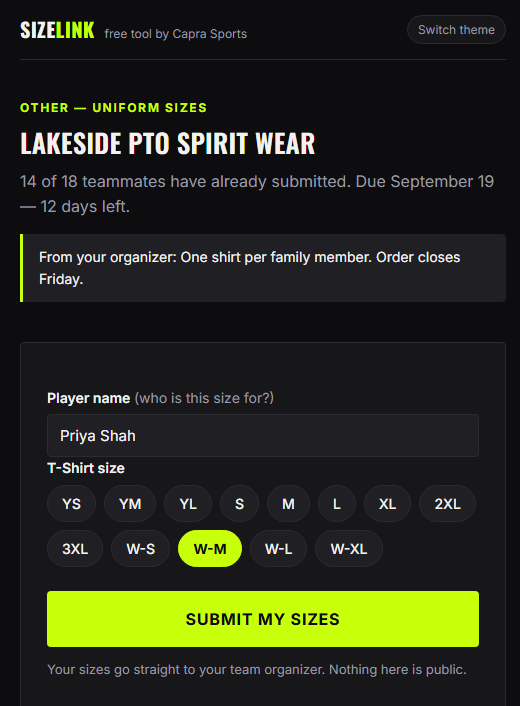
Name your group, pick T-Shirt (add hoodies or anything else), turn on women’s sizes if you need them, paste your list of names, set a deadline.
Drop the link in the chat
Everyone opens it on their phone, checks the size chart right inside the form, taps their size, done. No account, no app, under a minute.
Hand your printer the totals
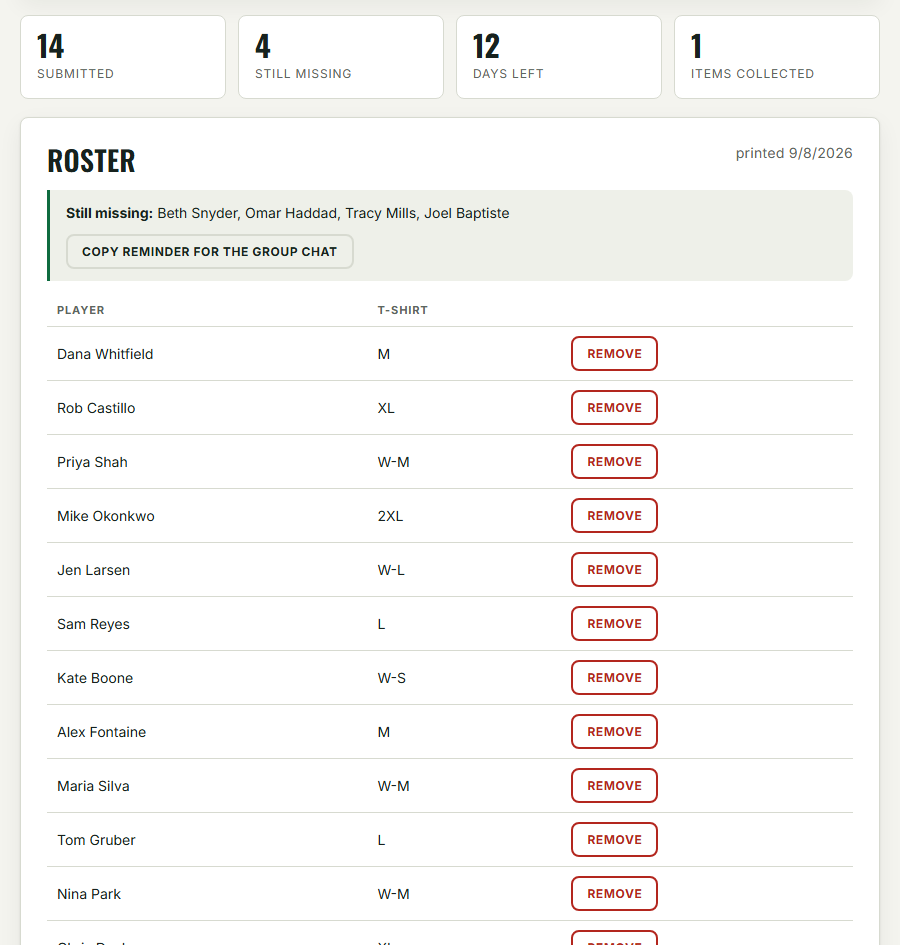
The dashboard totals your order by size automatically and names exactly who has not answered — with a ready-made reminder you can paste back into the chat.
See exactly who answered — and who did not
The worst part of a group shirt order is the chasing. Your private dashboard shows every response as it lands, lists the holdouts by name, and builds the reminder message for you. No shared spreadsheet anyone can overwrite, no scrolling the chat to count replies.
When the deadline hits, download the CSV or print the sheet and the order is ready for any print shop or supplier.
How many of each size should you order?
If you cannot collect sizes, this is the typical adult split print shops see for group orders. But a guess is still a guess — the whole point of the form is that you stop guessing.
| Size | Share of a typical adult group | Example: 30 shirts |
|---|---|---|
| S | 10 percent | 3 |
| M | 24 percent | 7 |
| L | 31 percent | 9 |
| XL | 23 percent | 7 |
| 2XL | 9 percent | 3 |
| 3XL | 3 percent | 1 |

Made for every group order
Fundraisers and events
Collect sizes and names in days, not weeks. The deadline shows on every form, and the social-proof counter nudges the stragglers.
School spirit wear and clubs
PTO tees, club hoodies, band shirts. Parents submit for their kids in under a minute — youth sizes through adult 4XL plus women’s cuts.
Work shirts and reunions
Company polos, crew shirts, family reunion tees. Add any custom item with its own size list and collect once.
Want a t-shirt order form template instead?
If a spreadsheet fits your workflow better, take the free template — a 25-row grid with a size column and totals that calculate themselves, in Excel or Google Sheets, plus a printable sheet for clipboard days. They work for shirts exactly the same as uniforms.
T-shirt order form questions
Is the t-shirt order form free?
Yes — free, no account, no card, no catch. It is a free tool from Capra Sports and you can use it for any order from any print shop or supplier.
Do people need an app or account to submit their size?
No. The link opens in any browser. They type their name, tap a size against the built-in chart, and submit — under a minute on a phone.
Does it have women’s and youth sizes?
Yes. Youth YXS through YXL, adult XS through 4XL, and a women’s range from W-XS to W-2XL you can switch on per order — each with its own size chart inside the form.
How do I know how many of each size to order?
You do not have to estimate: the dashboard totals collected responses by size automatically. If you truly cannot collect, the typical adult split above is the standard starting point.
Can I use it with my local print shop?
Yes — it is vendor-neutral by design. Export the CSV or print the sheet and hand it to whoever prints your shirts. You can even attach your printer’s own size chart so people pick against the exact garment.
What about full team uniforms?
Same tool, more options: jersey numbers, name-on-jersey spellings, multiple items, and design mockups. See the team uniform order form page for the full uniform workflow.
More free tools
The team uniform order form handles full kits with numbers and name spellings, the jersey customizer designs one in your colors in about a minute, and the resources hub has size charts, published pricing, and every guide we have written.