
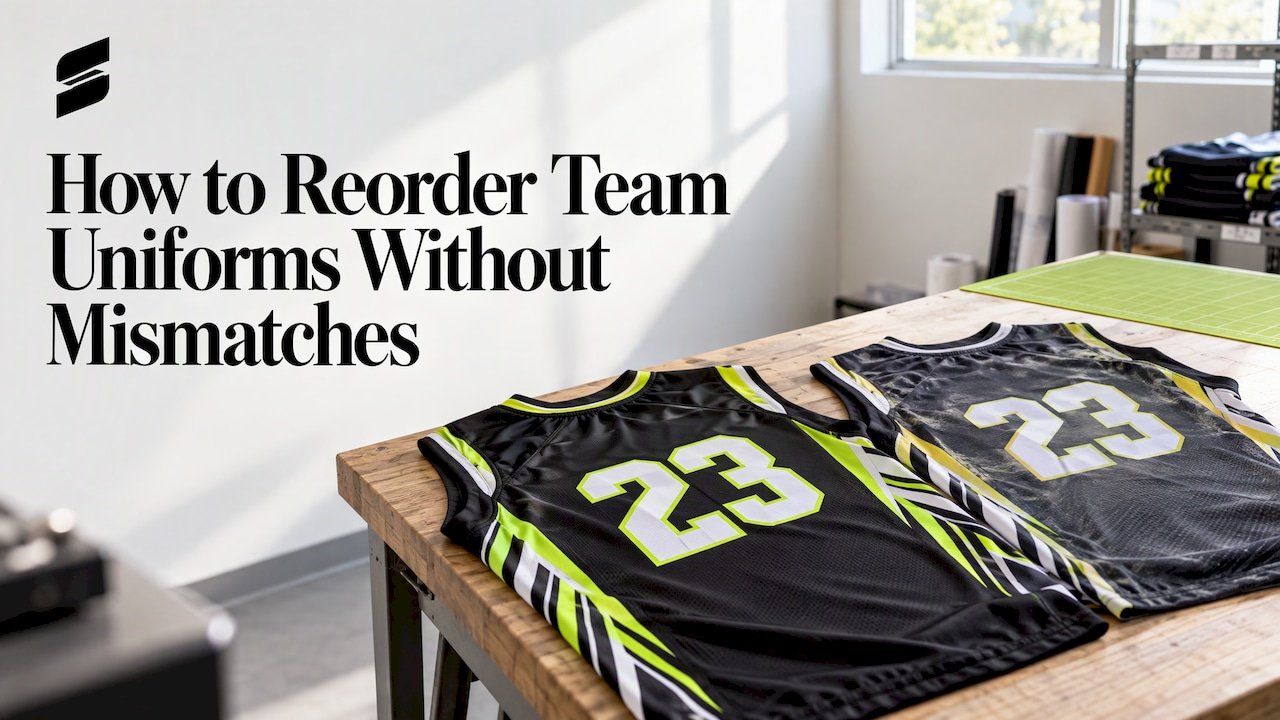
How to Reorder Team Uniforms Without Mismatches
To reorder team uniforms without mismatches, start from the original design, not from memory. Gather the old artwork, the roster with sizes, and one current piece to compare against. Ask for a fresh mockup, check it line by line, and place the order early enough to leave room for fixes. At Capra Sports, a free design mockup comes back in 24 hours, and our designers revise it with you until it matches the set you already own.
This guide is for coaches, parents, athletic directors and league organizers who need more of a uniform they have already bought: new players, replacements for lost or worn pieces, or a full refresh in the same look.
TL;DR
- Collect the old artwork, colors, fonts, roster, sizes and a current jersey before you contact anyone.
- Ask for a new mockup of the old design, and compare it with a real jersey, not a screen memory.
- Reconfirm every size. Kids grow, and last season’s size chart is rarely right.
- Read the proof and order confirmation for names, numbers, colors and quantities before approving.
- Start six to eight weeks before the first game, earlier if the season opens right after a holiday or school break.
Table of Contents
- What a reorder really is
- Step 1: Gather what you need before you ask
- Step 2: Request a fresh mockup of the old design
- Step 3: Keep the colors matching
- Step 4: Add players and replace uniforms
- Step 5: Confirm sizes again
- Step 6: Check the proof and the order confirmation
- Step 7: Time the order
- What affects the cost of a reorder
- Where a reorder with Capra Sports fits
- Our perspective
- FAQ
- Sources
What a reorder really is
A reorder is not a copy and paste. Each production run is a new job: the artwork is set up again, the colors are matched again, and the garments are cut and sublimated again. Sublimation is a printing method that turns dye into gas and fixes it into polyester fabric, so the design becomes part of the cloth instead of sitting on top of it. Because the print is made fresh each time, small differences in how a color is specified can show up between two batches.
That is why most reorder problems are information problems. The team remembers “the navy one with white piping” and the new order arrives in a slightly different navy with a different font. The fix is to treat the reorder as a small project with a record, a proof and a deadline.
There are three common reorder situations, and each needs slightly different preparation:
- Same look, new players. The roster grew and you need matching sets for the additions.
- Replacements. A jersey was lost, torn or outgrown, and one or two pieces need to match the rest.
- Full season refresh. The whole team is reordering the same design, often with updated names and numbers.
Step 1: Gather what you need before you ask
The faster you can hand over complete information, the faster a mockup comes back. Before you reach out, collect:
- The original artwork or a clear photo. If you have the mockup PDF from the first order, that is best. If not, take photos of the front, back and sleeves in daylight, laid flat.
- The order details. Sport, garment types (jersey, shorts, pants, warmups), and the season you ordered.
- One physical jersey. You will use it as the color and layout reference.
- The roster. Player names as they should print, jersey numbers, and which garments each player needs.
- Sizes. Current sizes for every player, which we cover in Step 5.
- Rules that apply to you. League or school requirements for number size, name placement or color contrast.
Build a one-page reorder record now
Whatever you do this season, save a single page that you can find next year. It should hold the sport and garment list, the colors, the font names for names and numbers, where each logo sits, the final approved proof, the date, and the roster with sizes. Add the quantity ordered and any notes about what you would change. A shared folder with that page in it turns your next reorder from a scavenger hunt into a five-minute email.

If you are still collecting sizes from families, a free team uniform order form lets everyone submit sizes through one link, so you are not retyping text messages into a spreadsheet.
Step 2: Request a fresh mockup of the old design
A mockup is a digital picture of exactly what will be produced. Never reorder from a verbal description. Ask for a new mockup built from your original artwork, even if you think nothing has changed.
With Capra Sports, mockups are free and come back within 24 hours. You work directly with a professional designer, and revisions are unlimited, so there is no cost to saying “the stripe was thicker last year” and asking for another pass. Our guide to how custom uniforms are made from mockup to delivery explains what happens after the design is final.
When you send the request, be specific:
- Say which season’s order this should match.
- List any changes on purpose: a new sponsor logo, a different sleeve patch, an updated year.
- Say what must not change: the exact color of the primary panels, the logo position, the font on the back.
The most common mistake is leaving out the “must not change” list. Designers will happily keep everything the same, but only if they know what the same means to you.
Step 3: Keep the colors matching
Color is where reorders go wrong most visibly. Two navy jerseys that look identical indoors can look different under gym lights or on a bright field. Screens add another layer of trouble, because the same color looks different on a phone and a laptop.
To keep the match tight:
- Use a physical reference. Hold your current jersey next to the screen, or send a photo of it in natural light beside the mockup.
- Name the colors, do not describe them. “Navy” is a range. Use the color names or codes from the previous proof.
- Check dark colors and neons first. These are the hardest to judge by eye.
- Compare every color on the garment, including piping, trim, collars and numbers, not only the main body.
We wrote a deeper walkthrough of this in three color matching checks coaches need before ordering. If you are using this reorder to adjust the palette, team color combinations that look sharp and stay legal helps you avoid contrast problems with league rules.
One honest planning point: if some players keep their old jerseys while others get new ones, small dye-lot and fading differences between old and new garments can be visible side by side. Many teams handle this by putting every player in the new set for games and keeping the older ones for practice.
Step 4: Add players and replace uniforms
Adding new players
New players are the easiest reorder to get right if you plan the numbers. Check your roster against the existing numbers first so you do not issue a duplicate. Then confirm that the new numbers use the same font, color and size as the rest of the team.
Rules matter here. For example, the high school basketball guidelines published by one state association, based on NFHS rules, say the front number must be at least 4 inches high and in the same style and color as the back number. Your league or school may have its own standards, so check them before you lock the artwork. For help choosing formats, jersey numbering formats and sizes lays out the options, and our five checks for production-ready number fonts covers what to verify on the proof.
Replacing worn or lost pieces
For a single replacement, the key is matching the piece to the existing set. Send the player’s name and number, the garment type and a photo of a teammate’s jersey from the same order. If a piece has faded over a season, a new one will be a little brighter, which is normal. Checking the new mockup against a current jersey tells you whether the difference is something you can live with.
Order size and minimums
Our policy for team orders is a 10-set minimum. Each order also includes one sizing sample at no extra charge. If you only need a few pieces, the practical approach is to fold the replacements into a larger reorder for the whole team, such as the start of a new season, so everyone gets matching fabric and print from the same run.
Keep the whole set consistent
When a reorder mixes old and new pieces, consistency comes from a few decisions made once:
- Same garment style and cut for every player in the same role.
- Same fonts, number size and name placement on every back. Our guide on jersey name placement and 1 inch clearance shows how to lock a template.
- Same logo positions on the chest, sleeves and shorts.
- One approved proof that covers the entire order, not separate proofs for each batch of players.
Step 5: Confirm sizes again
Sizes are the second most common source of a bad reorder. Last season’s size chart goes stale quickly, especially for youth teams, where a player can change a full size in a year. Sizing also varies by garment: a jersey may fit differently from shorts or pants.
A reliable routine looks like this:
- Send the roster out early. Ask each family or player to confirm a size, not assume the old one still fits.
- Have players try a sample. Our one sizing sample at no extra charge lets you check fit in the actual garment before the full order goes in.
- Measure, do not guess. Chest, waist and height are more reliable than “medium, same as last year.”
- Plan for growth, within reason. For youth teams, many coaches round up one size for players who are between sizes, so the jersey lasts the season.
- Record the final size next to each name, in the reorder record from Step 1.
Coaches and parents often ask who is responsible for sizing mistakes. The cleanest answer is to have each size confirmed in writing by the family or player, and to keep that confirmation with your records. A single shared sheet avoids the “I thought you ordered a large” conversation after delivery.
Step 6: Check the proof and the order confirmation
The proof is the last point where you can fix a problem for free in time. Read it as if you were seeing the uniform for the first time.
On the proof, check:
- Team name and logo. Spelling, placement and size.
- Player names. Every name spelled the way the family spells it.
- Numbers. No duplicates, correct digits, and the right numbers on the right players.
- Colors. Every panel, stripe and piece of trim against your reference jersey.
- Garment list. Jerseys, shorts, pants or warmups for each player.
On the order confirmation, check:
- Quantities by size. The totals match your roster sheet.
- Sport and garment style. The same cut as the previous order, if that is what you want.
- Delivery timing. The date works for your first game or tournament.
Only approve when both documents match your record. Approval is the point at which production begins, so a typo caught afterward is much harder to fix. Our walkthrough on design mockup approval explains how to sign off with confidence. If you want a second opinion, ask an assistant coach or a parent volunteer to read the names aloud against the roster while you follow along on the proof.
Step 7: Time the order
A reorder takes longer than most teams expect, because the steps stack: gathering information, mockup revisions, size confirmation, approval, production and shipping. The mockup itself arrives in 24 hours with us, but the rest of the timeline depends on how quickly your team confirms sizes and approves the proof.
A safe rule is to start six to eight weeks before your first game or practice in the new uniforms. That gives you a buffer for a second round of revisions, a size correction or a shipping delay. Plan earlier for these moments:
- Fall sports. Order in early summer, before families go on vacation and become hard to reach.
- Winter sports. Order in early fall, before the holiday rush.
- Spring sports. Order in winter, as soon as rosters are set.
- Tournaments and school events. Work backward from the date, then subtract the buffer.
If you are doing this in the middle of a season, tell us your deadline when you send your first message so it shapes the plan from the start.
What affects the cost of a reorder
There is no single price for a reorder, because it depends on what you are ordering. These are the factors that move the total:
- Sport and garment type. A baseball uniform with pants costs more than a basketball jersey and shorts, because there is more garment to produce.
- Quantity. The number of sets you order affects the per-piece price.
- Design complexity. Extra colors, logos and trim can change the setup.
- Add-ons. Warmups, hoodies and backpacks add to the order total.
- Changes. A new design costs differently from repeating an existing one.
Our published prices are per piece and vary by sport, so the pricing page is the place to see current numbers. For a quick planning figure, a reorder budget looks like [PRICE TBD] per set, multiplied by your roster, plus any warmups or accessories. Mockups are free, so you can price a reorder before you commit.
Where a reorder with Capra Sports fits
If your team wants to repeat a design, we make that straightforward. You send the old artwork or photos, a designer builds a free mockup within 24 hours, and you adjust it with unlimited revisions until it looks right. Our uniforms are custom sublimated, and our range covers basketball, baseball, softball, soccer, football, volleyball and cheer, plus warmups, hoodies and backpacks.
The team order policy is a 10-set minimum, with one sizing sample at no extra charge so you can confirm fit before the full order. Start on the pricing page or send your design to begin the mockup.
For related reading, our guide on how to reorder matching uniforms covers this process from the matching angle, and how to design a uniform that meets kit rules helps if the reorder is also a chance to update.
Our perspective
Most reorder trouble starts with a missing file or a vague color name, not a production error. We encourage every coach to save the approved proof and the roster sheet the day the first order arrives, because that single folder saves hours the following year.
We also believe a reorder deserves the same care as a first order. That is why our designers work with you directly, why mockups are free and come back in 24 hours, and why revisions are unlimited. You should see exactly what is coming before it is made.
Teams that treat sizes, numbers and colors as a short checklist, not a last-minute scramble, tend to have the smoothest seasons. Our sizing sample and mockup process are built around that idea.
Agha
FAQ
Can I reorder the exact same design?
Yes. Send the original artwork or clear photos of the current uniform, and ask for a new mockup of that design. Compare the mockup to a jersey you own before approving, and list anything that must stay identical, such as colors, fonts and logo positions.
Can I add new players to an existing set?
Yes. Give us the new names, numbers and sizes, and make sure the numbers do not duplicate any on the current roster. Our team order policy is a 10-set minimum, so adding a few players is easiest when it is combined with a larger reorder.
How do I make sure the colors match my old uniforms?
Hold a current jersey next to the mockup, use the color names from your previous proof, and check every panel and trim piece. Dark colors and neons are the hardest to judge by eye, so check them first. Our color matching guide walks through the process.
Should I reorder sizes from last season?
Not without confirming them. Players change size, especially in youth sports, and sizing differs between jerseys and shorts. Have each family confirm a size in writing, and use our free sizing sample to check fit.
When should I start a reorder before the season?
Six to eight weeks before your first game is a safe window. That covers mockup revisions, size confirmation, approval, production and shipping. Start earlier if your season opens right after a holiday or school break.